
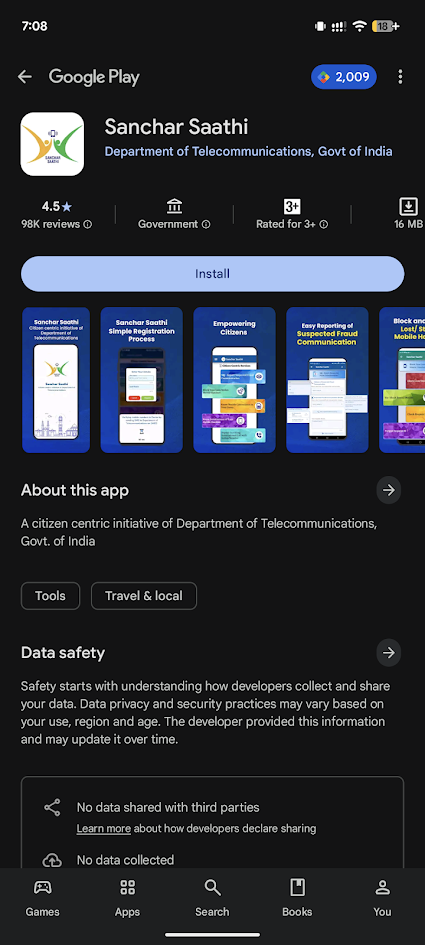
Step 1: Get the App
First, download the Sanchar Saathi app from the Google Play Store or Apple App Store. It is a small app (about 16 MB) and is official software from the Department of Telecommunications.
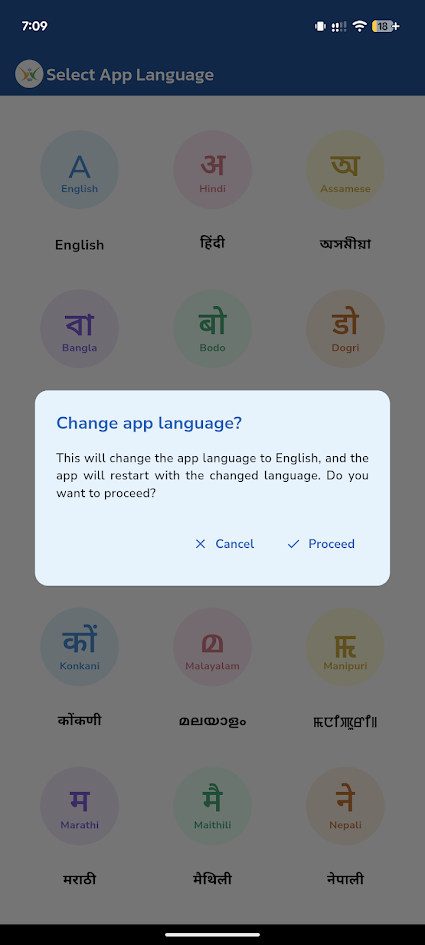
Step 2: Pick Your Language
When you open the app, you can choose the language you are most comfortable with. It supports many Indian languages like Hindi, English, Gujarati, Bangla, and more. AFter selecting the language click proceed.
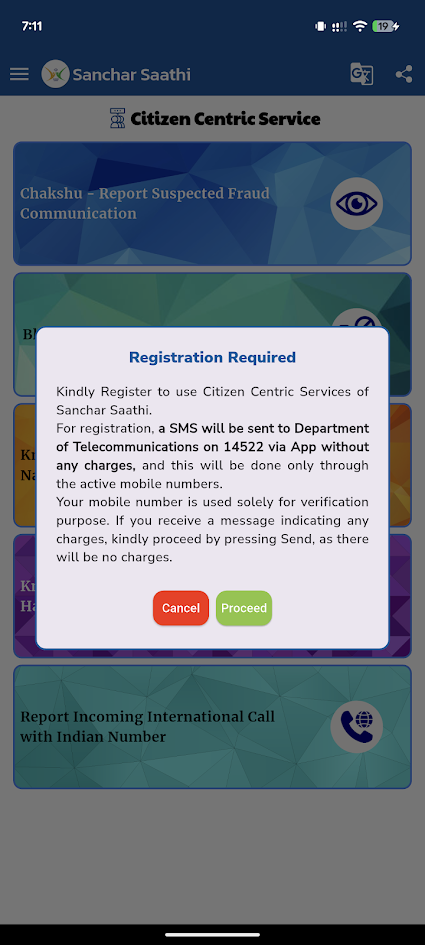
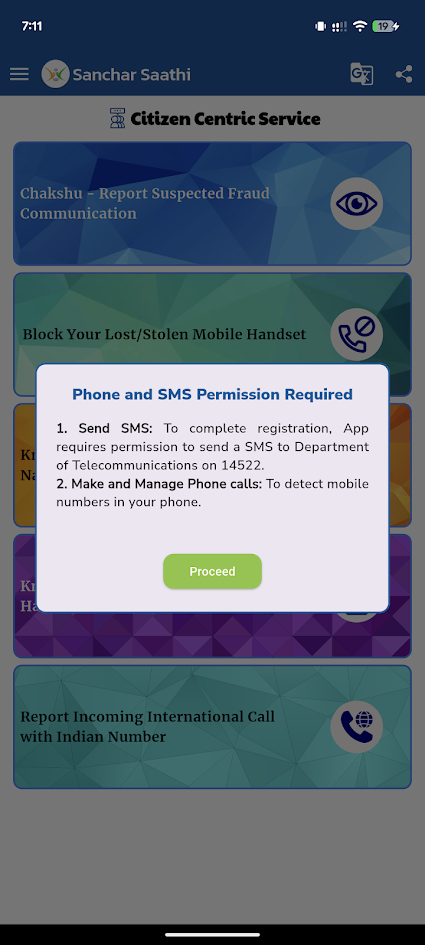
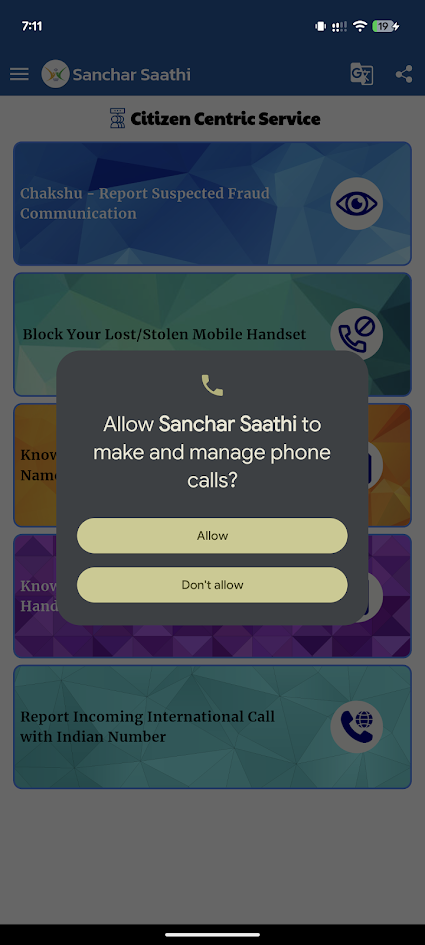
Step 3: Allow Permissions
To work correctly, the app will ask for permission to manage phone calls. This helps the app identify your current mobile connection. Click Proceed on both.
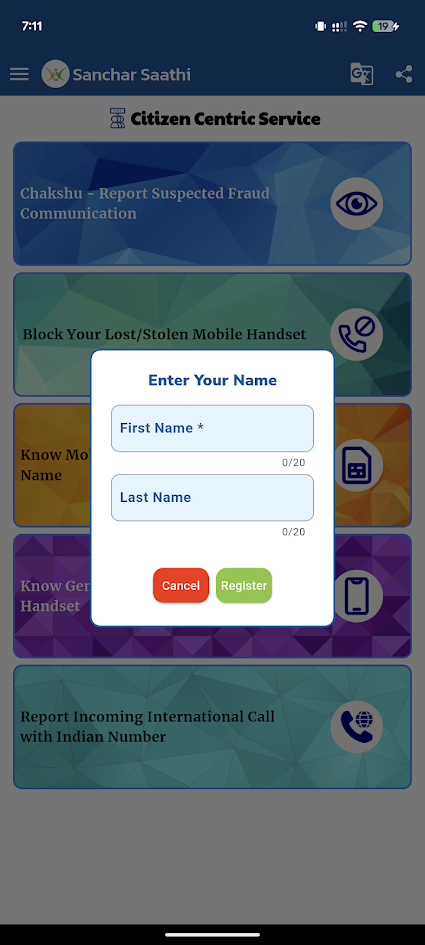
Step 4: Register Your Name
You need to create a profile. Type in your First Name and Last Name in the boxes provided.
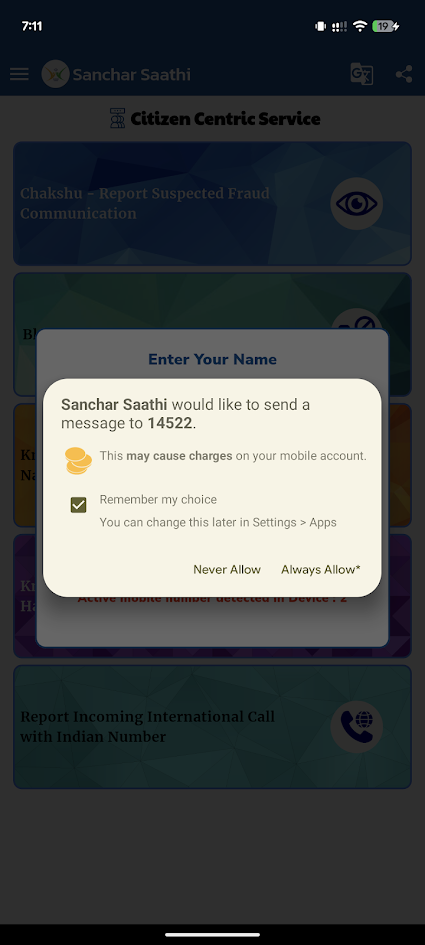
Step 5: Verify Your Number
The app will ask to send a secure SMS to the number 14522. This is a free message that verifies your phone is active. Click “Always Allow” to proceed.
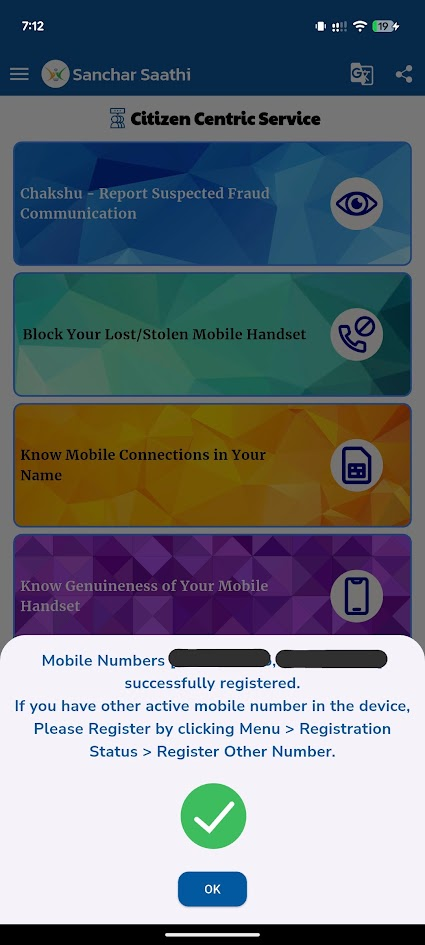
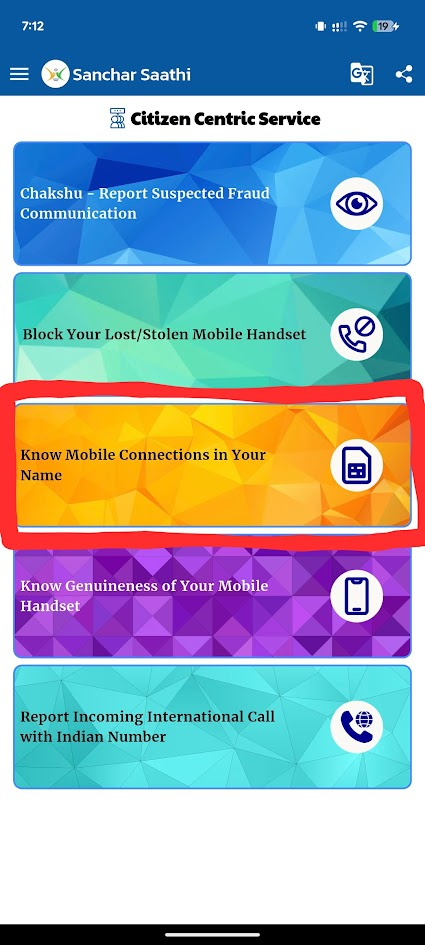
Step 6: Select the “Know Mobile Connections” Tool
Once you are on the main dashboard, look for the button that says “Know Mobile Connections in Your Name.” Tap it to see your list.
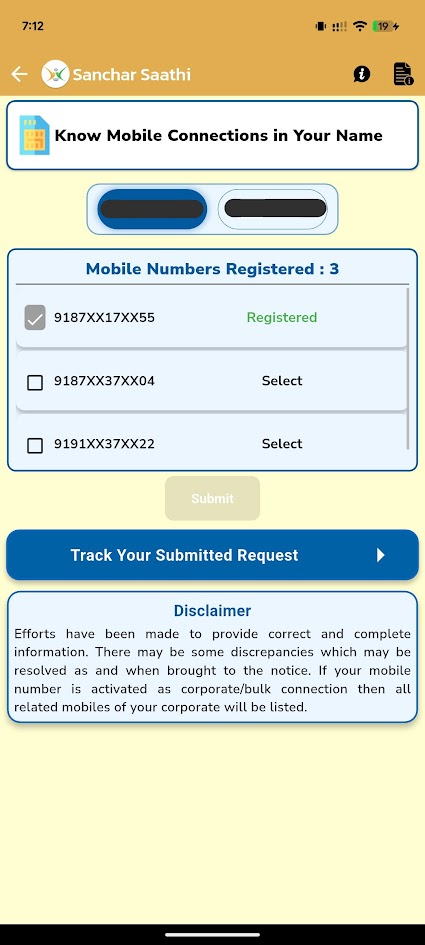
Step 7: Check the List
You will now see a list of all mobile numbers registered using your identity documents.
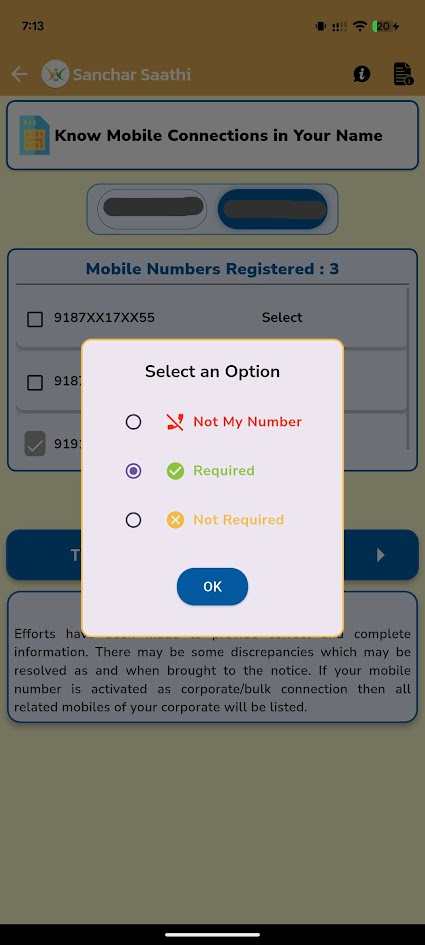
Step 8: Report Wrong Numbers
Look closely at the list. If you see a number that you do not recognize:
- Check the box next to that number.
- Select “Not My Number.”
- If it is an old number you don’t use anymore, select “Not Required.”
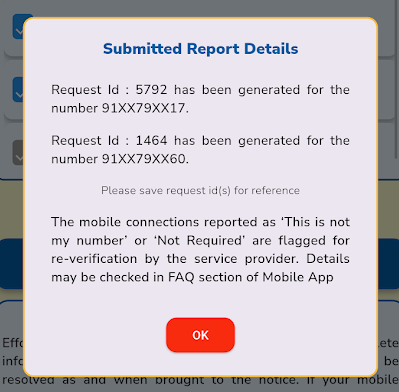
Step 9: Get Your Request ID
After you report a number, the app will give you a Ticket ID or Request ID. Save this number to track the status of your request later.
Why should you do this today? By checking your numbers, you make sure that scammers cannot use your name for illegal activities. It only takes a few minutes to stay safe!
A Great Step by the Government
Under the leadership of the Union Minister of Communications, Shri Jyotiraditya Scindia, initiatives like the Sanchar Saathi app have been launched to protect citizens from identity theft and mobile fraud.
With the support of the Telecom Regulatory Authority of India (TRAI), currently led by Chairman Shri Anil Kumar Lahoti, the government is ensuring that your personal data stays in your hands.
We must praise the Government of India for this proactive initiative. By providing tools like Sanchar Saathi, the government is effectively fighting cybercrime and ensuring that every citizen has the power to secure their own mobile identity with just a few taps. It is a major step toward a safer, “Digital India”!