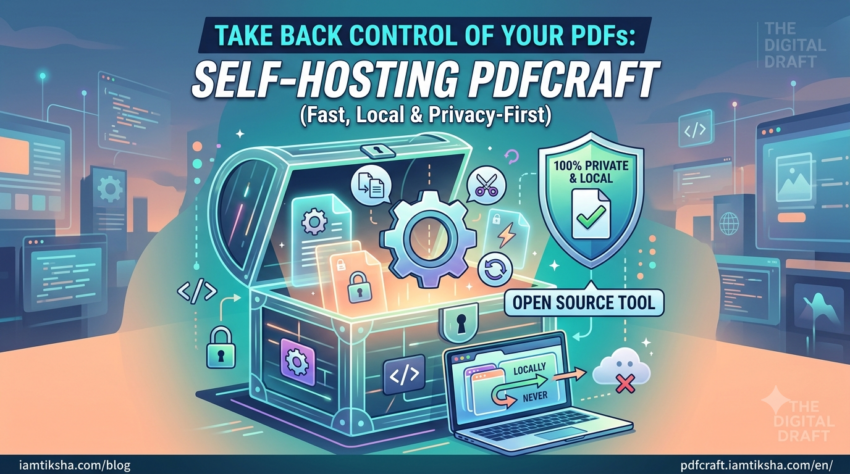
Comparing Smallpdf, ILovePDF, and PDFCraft on free limits, privacy, and self-hosting. Discover why a lightweight, open-source PDF toolkit might fit your workflow best.
Handling PDFs is an unavoidable part of daily work, whether you need to merge contract pages, compress a scan for an email attachment, or split a heavy document. For years, cloud platforms like Smallpdf and ILovePDF have been the go-to choices for quick web-based PDF tasks.
However, as these services have grown, users frequently run into sudden daily task limits, aggressive paywalls, and privacy concerns regarding where their uploaded files are processed.
This led to the creation of PDFCraft—an open-source, web-based alternative designed to bring control, simplicity, and flexibility back to users.
In this breakdown, we compare PDFCraft, Smallpdf, and ILovePDF across key features, pricing limits, privacy, and open-source flexibility.
At a Glance: Key Differences
| Feature / Criteria | Smallpdf | ILovePDF | PDFCraft |
| Open-Source Codebase | ❌ No (Proprietary) | ❌ No (Proprietary) | ✅ Yes (GitHub Repo) |
| Self-Hosting Option | ❌ No | ❌ No | ✅ Yes (Deploy your own instance) |
| Free Task Limits | ⚠️ 2 tasks / day | ⚠️ Limited daily tasks | ✅ Generous Free Access |
| Monetization Model | Paid Subscriptions ($9+/mo) | Paid Subscriptions ($4+/mo) | Non-intrusive Ads & Optional Self-Hosting |
| Core PDF Capabilities | Merge, Split, Compress, Convert, Edit | Merge, Split, Compress, Convert, OCR | Merge, Split, Compress, Convert & Core Utilities |
| Interface & Load Speed | Feature-rich, heavier UI | Clean, utility-first | Lightweight, fast-loading UI |
1. Free Tier Limits & Paywalls
- Smallpdf: Highly capable, but its free tier is strictly limited to 2 tasks per day. Once you hit that threshold, you are blocked until you subscribe to a monthly plan.
- ILovePDF: More generous than Smallpdf on free usage, but restricts batch processing and advanced features (like high-level compression or OCR) behind a premium paywall.
- PDFCraft: Built as an accessible web utility. Instead of hitting you with a restrictive task wall after 2 files, PDFCraft provides generous online access supported by non-intrusive advertisements to keep server hosting sustainable.
2. Privacy, Analytics & Infrastructure
Understanding how web tools handle your files and usage data is essential when managing sensitive documents:
- Cloud Processing: Like Smallpdf and ILovePDF, the hosted web app at
pdfcraft.iamtiksha.comprocesses tools remotely in the cloud. - Analytics & Quality Improvement: PDFCraft integrates standard web analytics (such as Microsoft Clarity/Google Site Kit) to track bug performance, user experience, and visitor interactions so the UI can continuously improve.
- The Self-Hosted Advantage: If you manage strictly confidential documents (legal contracts, financial records, or client records) and cannot use cloud processing or third-party web tracking, PDFCraft stands apart from commercial competitors. Because the codebase is fully open source, you can clone the repository and run your own isolated instance locally or on your own private server.
3. Open Source vs. Proprietary Lock-In
- Smallpdf & ILovePDF are closed-source software tools. You rely entirely on their server uptime, pricing model changes, and service terms.
- PDFCraft is 100% Open Source on GitHub. You can inspect the code, suggest features, report bugs, or adapt it to your workflow.
Bash
# Clone and inspect the PDFCraft repository anytime
git clone https://github.com/PDFCraftTool/pdfcraft.git
The Verdict: Which Tool Should You Choose?
- Choose Smallpdf or ILovePDF if: You need complex PDF editing, e-signatures, or specialized cloud integrations and don’t mind paying a monthly subscription.
- Choose PDFCraft if: You want a fast, lightweight, open-source tool for standard PDF tasks without running into strict 2-task daily paywalls—or if you want the freedom to self-host your own private PDF toolkit.
👉 Try the live tool:PDFCraft Web App
⭐ Star or self-host on GitHub:PDFCraft Repository