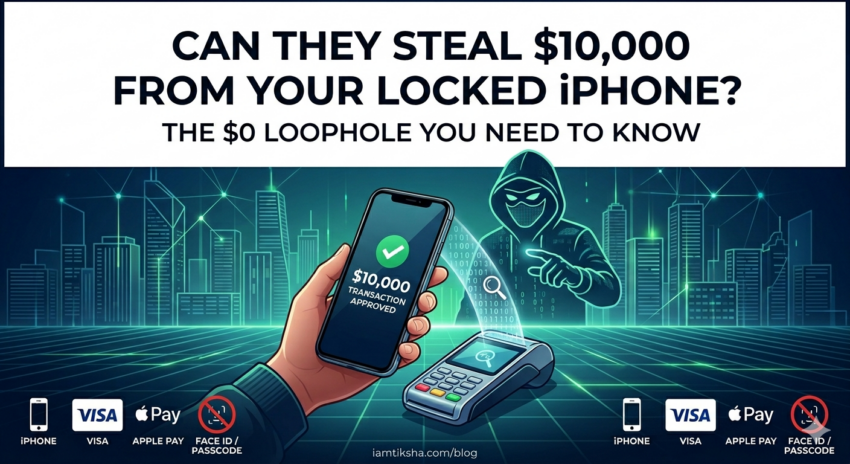
Imagine you’re sitting at a coffee shop. Your iPhone is sitting on the table, locked. You haven’t touched it, you haven’t scanned your FaceID, and you certainly haven’t authorized a payment.
Suddenly, a notification pops up: Transaction Approved: $10,000.
It sounds like a magic trick, but as Derek Muller from Veritasium recently demonstrated with tech reviewer MKBHD, it’s a very real cyber-security vulnerability. In a stunning demo, they managed to “steal” five figures from a locked phone without ever entering a passcode.
Here is the breakdown of how this “Man-in-the-Middle” attack works and why your specific choice of credit card might be putting you at risk.
The “Express Transit” Vulnerability
The core of the hack lies in a feature we all love for its convenience: Express Transit Mode.
Introduced to make commuting faster, this feature allows you to tap your phone at a subway turnstile or bus reader without needing to wake or unlock your device [06:25]. To make this work, the phone is programmed to “trust” any reader that identifies itself as a transit terminal.
By using a specialized device (a ProxMark), the hackers broadcast a code that tricks the iPhone into thinking it’s at a subway gate. The phone then automatically opens its “Transit Slot” and prepares to pay—no biometric verification required.
The Three Lies of the Hack
To pull off a $10,000 theft, the hackers used a Python script to tell three specific “lies” to the devices involved:
- “I am a subway gate”: They tricked the phone into bypassing the lock screen by mimicking a transit reader [07:11].
- “This is a low-value transaction”: Usually, high-value payments (like $10,000) trigger a request for a PIN or FaceID. The hackers intercepted the data and flipped a single “bit” from 1 to 0, telling the phone the transaction was “low value,” even though the amount was huge [09:59].
- “The user verified this”: Finally, they lied to the actual payment terminal. When the phone sent back the approval, the hackers modified the message to tell the reader that the customer had verified the payment on their device [11:21].
Why Only Certain Users Are at Risk
The most frustrating part of this discovery? It only works on a specific combination: An iPhone paired with a Visa card.
- Samsung/Android: Unlike Apple, Samsung phones check the numerical value of the transaction. If a transit reader asks for more than $0.00, the phone rejects it immediately [14:51].
- Mastercard: Mastercard requires an “asymmetric signature” for every transaction. This cryptographic check would have caught the modified data bits and blocked the payment. Visa, however, often skips this layer of security for online transactions to prioritize speed [19:10].
Is This Happening in the Real World?
When Veritasium reached out to Apple and Visa, the response was essentially: “It’s a known issue, but it’s very unlikely to happen at scale” [22:13]. Visa pointed out that they have a “Zero Liability Policy,” meaning if you were hacked, you’d eventually get your money back.
However, as Derek rightly points out, “eventually” doesn’t help when you can’t pay your rent because $10,000 is missing from your account while you wait for a bank dispute to settle [25:04].
How to Protect Yourself
If you want to close this loophole today, you have two main options:
- Check your Express Transit settings: Go to Settings > Wallet & Apple Pay > Express Transit Card. Either turn it off or ensure the card selected is not a Visa.
- Switch your Transit Card: If you must use Express Transit, consider using a Mastercard or a prepaid travel card instead of your primary Visa credit card.
Security is always a trade-off with convenience. Express Transit is a brilliant feature, but as this hack proves, “frictionless” payments sometimes mean there’s no friction to stop a thief, either.
What do you think? Is the convenience of “Tap and Go” worth the security risk? Let us know in the comments!
Watch the full deep dive over at Veritasium.