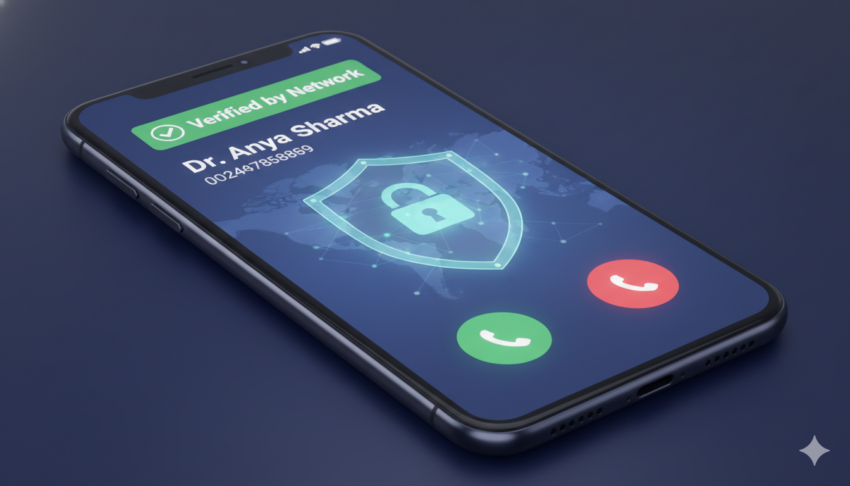
We’ve all been there: a call comes in from an unknown number, and we hesitate. Is it an important delivery, a genuine business, or another annoying spammer trying to hawk a loan or run a scam? Thanks to crowdsourced apps, we’ve gotten some relief, but a more consistent and official solution is on the horizon.
Enter CNAP: Caller Name Presentation.
In a major move to curb financial fraud and relentless spam calls, India’s regulators are pushing for the implementation of CNAP—a game-changing telecom feature that promises to display a caller’s verified name right on your phone screen, regardless of whether you’ve saved their number.
What is CNAP and How is it Different?
CNAP, or Calling Name Presentation, is a built-in network service that attaches a human-readable name to an incoming call.
For decades, we’ve relied on Caller Line Identification (CLI), which only shows the phone number. CNAP goes further. It’s a supplementary service defined in telecom standards (like 3GPP) where the telephone network itself is responsible for finding and sending the caller’s name to the recipient’s device during the call setup process.
The network retrieves this name from a trusted source, such as the verified Know Your Customer (KYC) details held by the telecom operator, and presents it to you. If the name cannot be found or shared (due to privacy settings or technical limits), the network is required to indicate that the name is “unavailable” without significantly delaying the connection.
CNAP vs. Crowd-Sourced Apps: The Trust Factor
You might be thinking, “Don’t I already have an app for this?” While third-party apps like Truecaller offer similar functionality, CNAP operates on a fundamentally different and more robust principle:
| Feature | CNAP (Network-Level) | Caller ID Apps (e.g., Truecaller) |
| Data Source | Verified KYC details held by telecom operators. | Crowd-sourced user submissions and community feedback. |
| Accuracy | Designed to be highly accurate and official. | Can be outdated, incorrect, or manipulated. |
| Functionality | Works at the network level, even without an internet connection. | Requires a data connection to query an external database. |
| Regulatory Oversight | Enforced by regulatory bodies (TRAI/DoT in India). | Unregulated third-party operations. |
Because CNAP is a network-level feature, it offers greater consistency across all supported devices and provides a more reliable, verified identity, making it a stronger tool against sophisticated fraud.
How CNAP Works: The Simple Explanation
Imagine your phone network is like a very smart operator.
When a regular call happens, your phone only gets the caller’s number (this is called Caller ID). It’s up to your phone to check its own contact list to see if it knows that number.
With CNAP (Caller Name Presentation), the process changes:
- The Call Starts: When someone makes a call to you, their phone sends their number to the telecom network (like Jio or Airtel).
- The Network Checks: Before the network sends the call to your phone, it pauses and looks up the caller’s phone number in its special database.
- The Verified Name: This database holds the official, verified name that the caller registered when they got their SIM card (their KYC details).
- Name Attached: The network takes this official name and attaches it to the call signal, along with the phone number.
- You See the Name: When your phone rings, it receives both the number and the verified name from the network. The name pops up immediately, even if you’ve never saved the number.
In Short: CNAP makes the network do the job of identifying the caller using official records, so you don’t have to rely on your local contacts list or outside apps. It’s an official, built-in name tag for every call.
The India Mandate: Using KYC to Fight Scams
In India, the push for CNAP is driven by the Telecom Regulatory Authority of India (TRAI) and the Department of Telecommunications (DoT). The core objective is to leverage verified KYC data to provide users with essential transparency and help them make an informed decision: to answer, or not to answer.
By seeing the officially registered name of the person or business calling, users are empowered to reject suspicious calls and gain more trust when a legitimate organization or government agency is trying to reach them.
Major Indian telcos like Airtel, Jio, and Vodafone Idea (Vi) have been directed to roll out the service, with a target of nationwide deployment around 2026. Initial trials and pilots are already underway, with the feature expected to be enabled by default, initially on 4G and 5G smartphones.
The Privacy Trade-Off: Benefits and Concerns
The introduction of CNAP is widely seen as a major step forward, but it is not without complex considerations.
The Clear Benefits
- Fraud Reduction: Users can immediately identify unverified or suspicious callers, drastically reducing susceptibility to scams.
- Enhanced Trust: Genuine businesses, government services, and essential callers can improve their pick-up rates when their identity is clearly displayed.
- Transparency: Greater accountability for all calls made on the network.
The Lingering Concerns
Digital rights groups have raised important questions regarding the implementation of a new, central database of personal information:
- Privacy and Data Protection: If personal KYC data is used for CNAP, strict safeguards are required to prevent misuse or breaches of this large, sensitive database.
- Opt-Out Mechanisms: How easily can users opt out, correct their displayed name, or restrict name presentation for legitimate privacy reasons?
- Sensitive Cases: Clear policies are needed to protect the identity of survivors of abuse, journalists, or individuals who require private, protected numbers.
Ultimately, CNAP represents a significant shift in the balance between communication transparency and personal privacy. While it promises to be a powerful weapon in the fight against fraud, its success will depend on how effectively regulators and operators address these critical privacy and data security concerns before its full-scale rollout.
How to Enable or Manage CNAP (India Rollout)
The good news for users is that, unlike third-party apps, CNAP is designed to be a fundamental, network-level service, meaning you likely won’t have to manually download or enable it.
1. Activation: It Will Be On by Default
According to the recommendations from the Department of Telecommunications (DoT) and TRAI’s subsequent agreement, CNAP will be an opt-out service, not an opt-in service.
- Automatic Activation: Once your telecom operator (Airtel, Jio, Vi, etc.) implements the service in your area (expected nationwide rollout by March 2026), the feature should be enabled by default on all compatible 4G/5G smartphones.
- No App Needed: You will not need to install any new application. The verified name will appear automatically through your phone’s native dialer screen.
- Device Support: Initially, the feature will be supported primarily on 4G and 5G devices. Older 2G phones may not receive the update immediately due to technical constraints.
2. Opting Out (If You Want to Hide Your Name)
While most users will want the name display for security, privacy-conscious individuals, or those with sensitive professions may wish to hide their name from recipients. This is managed through an opt-out request:
- CNAP Opt-Out: If you do not wish for your KYC-verified name to be displayed when you call others, you will have the option to request your telecom service provider (TSP) to disable the feature.
- CLIR Integration: This process is expected to utilize the existing Calling Line Identification Restriction (CLIR) mechanism, which is already used to hide your phone number. Users who successfully enable CLIR to hide their number will also have their CNAP name presentation restricted.
- Procedure: You will likely need to contact your operator’s customer service or use a specific USSD code or digital process provided by them to formally register your request for restriction.
3. Opting Out (If You Don’t Want to See Names)
The CNAP service will be provided to all recipients by default. If, as a call recipient, you want to turn off the feature and only see the number, the DoT has indicated that users will have the choice to request the service be disabled on their connection.